Jobs in Pakistan: http:jobs.pakcat.com/

Showing posts with label iOS. Show all posts

Saturday, February 20, 2016

EarlGrey: iOS functional UI testing framework

Brewing for quite some time, we are excited to announce EarlGrey, a functional UI testing framework for iOS. Several Google apps like YouTube, Google Calendar, Google Photos, Google Translate, Google Play Music and many more have successfully adopted the framework for their functional testing needs.

The key features offered by EarlGrey include:
  • Powerful built-in synchronization : Tests will automatically wait for events such as animations, network requests, etc. before interacting with the UI. This will result in tests that are easier to write (no sleeps or waits) and simple to maintain (straight up procedural description of test steps).
  • Visibility checking : All interactions occur on elements that users can see. For example, attempting to tap a button that is behind an image will lead to test failure immediately.
  • Flexible design : The components that determine element selection, interaction, assertion and synchronization have been designed to be extensible.
Are you in need for a cup of refreshing EarlGrey? EarlGrey has been open sourced under the Apache license. Check out the getting started guide and add EarlGrey to your project using CocoaPods or manually add it to your Xcode project file.

Wednesday, April 1, 2015

Introducing #ChromeSelfie

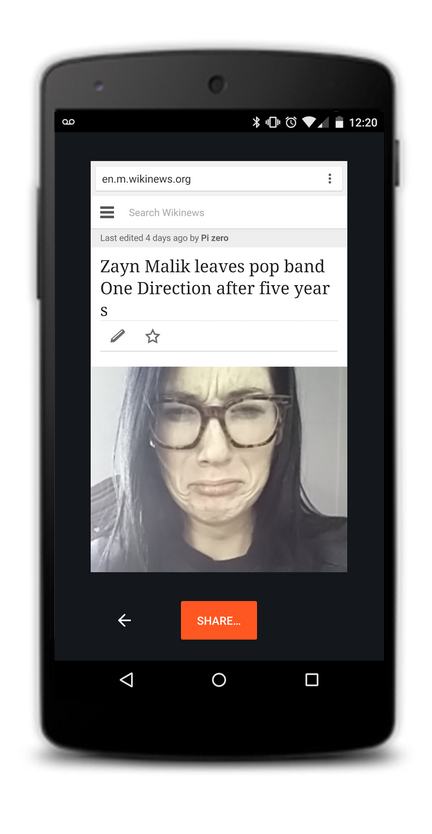
Have you ever read an article that made your jaw drop or seen a funny clip that made you laugh until you cried? Now, #ChromeSelfie lets you show your friends exactly how you feel. 

If you’re a selfie fanatic like me you've probably sent a lot of selfies in reaction to articles in the past, but it takes a lot of time and hassle to exit Chrome, open the camera and snap a pic. In fact, with so much of our time spent browsing online, most Chrome users lose up to 6 hours of selfie-taking time every day! And we think it’s a tragedy that your reactions, as well as luscious lashes and beautiful brows, are going uncaptured. With #ChromeSelfie you can share sites with your family and friends on social media and via instant messages, along with a handsome selfie instead of cumbersome text. 

Screen Shot 2015-03-30 at 12.23.29 PM.png

Source: Wikinews

As a pioneering platform, Chrome on mobile is committed to being at the forefront of innovation in the selfie space. One #ChromeSelfie can easily replace dozens of words, improving efficiency and comprehension. Starting today, when you open Chrome on your mobile you’ll see a promo and with just a few clicks you can share your reaction with your friends.

Monday, November 19, 2012

New and improved Blogger mobile apps

Inspiration for a new post can happen at any place and time: on the couch, while shopping, at a game, or in the kitchen. Fortunately, mobile devices enable you to stay connected wherever you are.

With that in mind, we just launched updated apps for both Android and iOS. The updated apps include a visual facelift and other features which make it easier for you to create and share -- wherever your imagination runs wild. Some of the more notable improvements include:

  • Landscape support for composing posts
  • Sharing to Google+
  • Ability to view a scheduled post time
  • International support in 30+ languages
  • iPad support

We hope you enjoy these improvements, and keep writing great blog content on the go.
Get Blogger in the Play store to get the latest on your Android phone or the App Store for iOS devices.

Saturday, September 10, 2011

Announcing the Blogger app for iOS

Today we’re excited to announce the new Blogger app for iOS. With the Blogger app, you can write a new blog post and publish it immediately or save it as a draft right from your iOS device. You can also open a blog post you've been working on from your computer and continue editing it while you're on-the-go. Your blog posts are automatically synced across devices, so you’ll always have access to the latest version.

Pictures are worth a thousand words, and the Blogger app makes it easy to add photos either by choosing from the gallery or taking a new photo right within the app. You can also add labels and location to provide more details about the post.


Download the Blogger app today for iOS versions 3.2 and above in the App Store. Although the user interface is only available in English at this time, the app supports blog posts written in all languages. If you’re using an Android-powered device, you can download the Blogger app for Android from the Android Market.

LinkWithin

Related Posts Plugin for WordPress, Blogger...